Ask,
and it looks it up.
Scattered words, one answer. An AI assistant that runs on your server, your device or your own key — it reads the web when it needs to and answers with sources.
This is a demo · Android 7.0+ · iOS 17+ · Coming to Google Play and the App Store
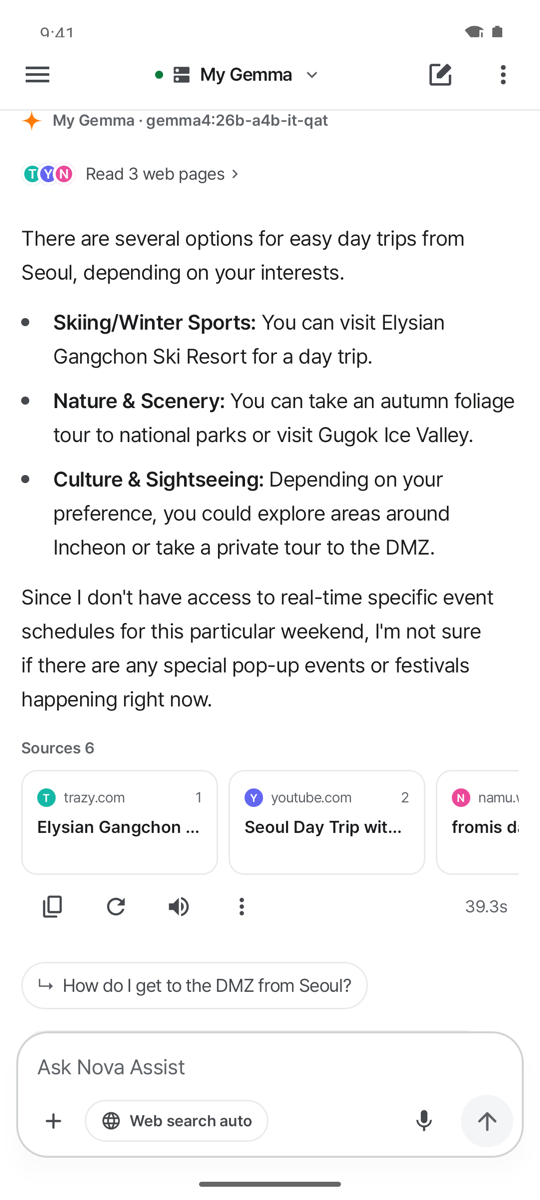
Search, read, then answer with sources.
It first checks whether your question needs fresh information, and searches the web only when it does. Every step shows on screen.
Type it or say it with 🎙. Formats like “in one line” or “as a table” come first.
“Weekend weather in Seoul, in two lines”Only the search terms go to a search site. Short follow-ups are searched together with what you asked before.
“Seoul weekend weather” → search siteReads up to 3 top pages in full and hands them to your AI as evidence.
3 pages read · weather.go.kr …Site names after each sentence, source cards below, and follow-up ideas.
…great for a day out weather.go.krThree ways, your choice.
Nothing goes through our servers. The first screen suggests the quickest way to start, and the AI that is answering always shows at the top.
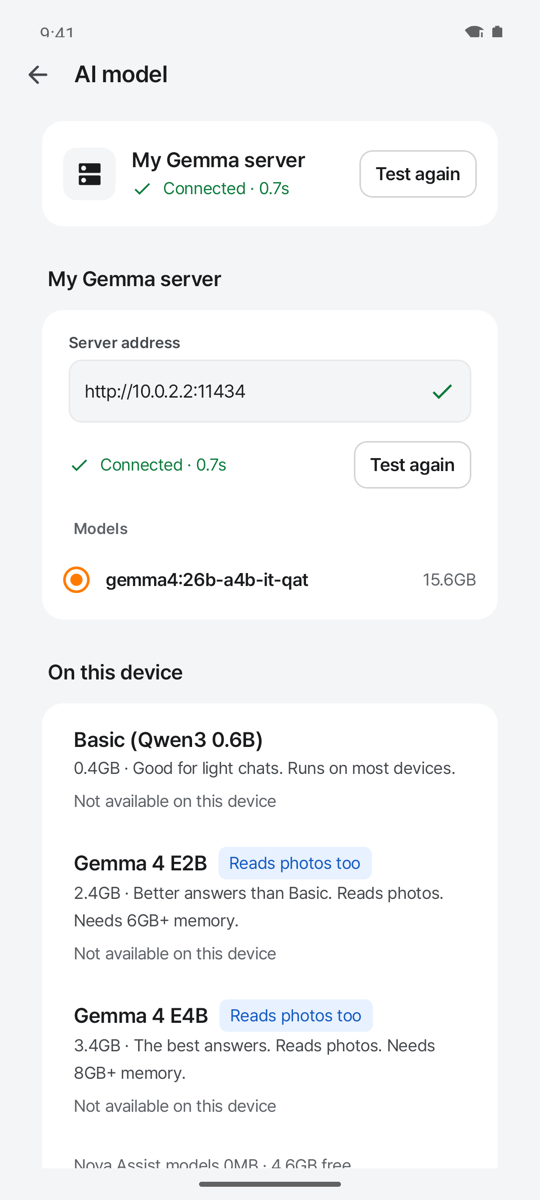
Just the address of your Ollama at home or work. No subscription, and your chats don’t pile up on someone else’s server.
Download a model once and it answers offline. Your chats never leave the device.
OpenAI, Anthropic, Gemini and 8 more. You’re told where data goes and what it costs first.
Let your AIs debate it out.
Put 2–4 of your connected AIs in one room and they take turns. They agree, push back, and at the end one of them sums it up.
- 1One web search. Every AI works from the same evidence.
- 2One AI stalls, the room goes on. The next one speaks, and you retry just that slot.
- 3Jump in any time. Add your view or ask for “One more round”.
Wide answers, sources close by.
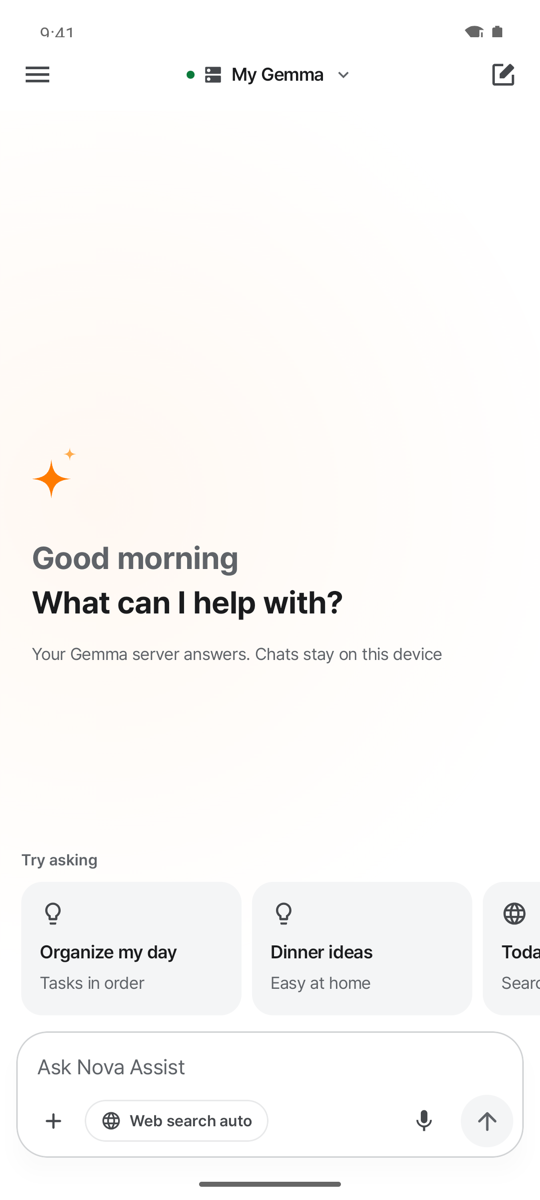
Answers use the full width without bubbles; your messages sit in bubbles on the right. Same rules in light and dark, on phones and tablets.
The AI app you know, made yours.
History and keys stay on your device. Everything works the way you already expect.
Speak and listen
Talk and it types; pause for 2 seconds and you’re done. Answers are read aloud — skipping code and links.
Ask about a photo
Take or pick a photo and a vision-capable AI explains it. Location data is stripped first.
Long answers, notified
Keeps receiving while you’re away, then notifies you. Tap to jump back.
 Your answer is readyPlan a 2-day trip to BusanYour answer is readySummarize this contract
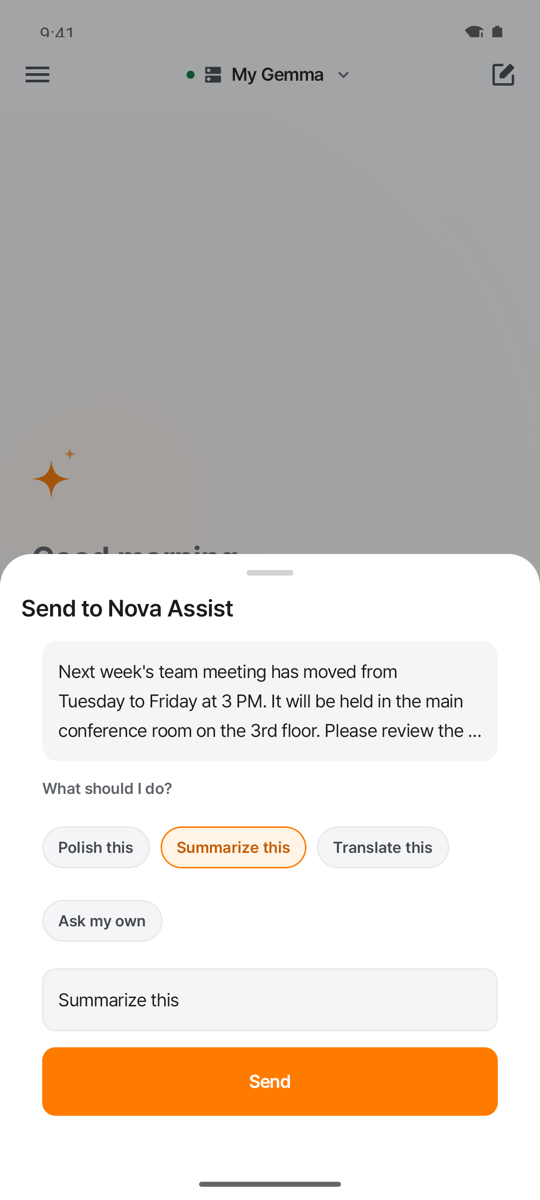
Send from anywhere
Share from another app or select text and choose “Ask N Assist”. One chip does it.
Saved prompts
Long-press to save what you ask often; type “/” in an empty box to use it.
Be the AI for other apps
Only apps you allow can borrow N Assist’s AI. They can’t see your history or keys.
N AssistAsk in your language.
The app speaks Korean and English. Answers come back in the language you asked in.
Nothing hidden about where it goes.
No account, no server of ours. This map is everything that leaves your phone.
- Chat history and saved prompts — excluded from device backups
- API keys — encrypted with Keystore / Keychain
- No ads, analytics or trackers
Chat context and attached photo → your server, or the AI company you agreed to on first use
Search terms only → one of Naver, Daum, DuckDuckGo or Bing. One chip turns it off
Page requests → pages from results or links you sent (up to 3 per question)
Only the answer to their own question → never your history or keys. Revoke any time
There isn’t one. No chat collection, and no sign-up needed (Nova family sign-in is optional). The privacy policy lists every host.
Your first answer in a minute.
Choose “I have an API key” or “I don’t”, and it suggests the fastest way to start.
Paste a key, download an on-device model, or enter your server address — as suggested.
Type or tap 🎙 and speak. Web search is set to “Auto” by default.
FAQ
Is it free?
The app is free with no ads. Using your own server or an on-device model costs nothing. With an outside AI, that company bills the account behind your API key.
Can I use my ChatGPT Plus or Claude Pro subscription?
No. Those subscriptions don’t include API usage. Create an API key in each company’s developer console.
Does it work offline?
Download an “On this device” model once over Wi-Fi and it answers without internet. Available models depend on your device. Web search needs a connection.
How do I connect my Gemma server?
Run Ollama on a computer at home or work and enter its address. On the same Wi-Fi an http address works; internet addresses must be https.
Can answers be wrong?
Yes, AI answers can be wrong. Tap a source card to check the original, and always double-check anything important.
Can other apps see my chats?
No. Only apps you allow can ask N Assist, and they get only the answers to their own questions — never your history or API keys. Revoke access any time in Settings › Other apps.
I have another question.
See the user guide or write to novafamilyon@gmail.com.