 N OTP
N OTPA new key,
every 30 seconds.
Two-step verification codes for Gitea, GitHub and Google — made only on this phone. No sign-up needed. Setup keys and codes never go to a server.
Android 7.0+ · iOS 17+ (iPhone · iPad) · Coming soon to the stores
Anywhere that offers two-step verification with an authenticator app — standard TOTP · HOTP
Why it needs no internet:
it’s all math.
With the setup key from the QR code and the current time, the service and your phone each compute the same number on their own. The values below are being computed live, right now.
Setup key
The secret inside the QR. It lives only in the phone’s vault (Keystore · Keychain).
30-second step
How many 30-second steps have passed since 1970.
HMAC-SHA1
Mixes the key and the step into a 20-byte fingerprint. The last nibble picks where to read.
Six digits
The 4 picked bytes as a number, modulo 1,000,000.
International standards RFC 6238 (TOTP) · RFC 4226 (HOTP). SHA-256 · SHA-512, 7 · 8 digits and counter-based codes follow the same path.
The code is the biggest thing on screen.
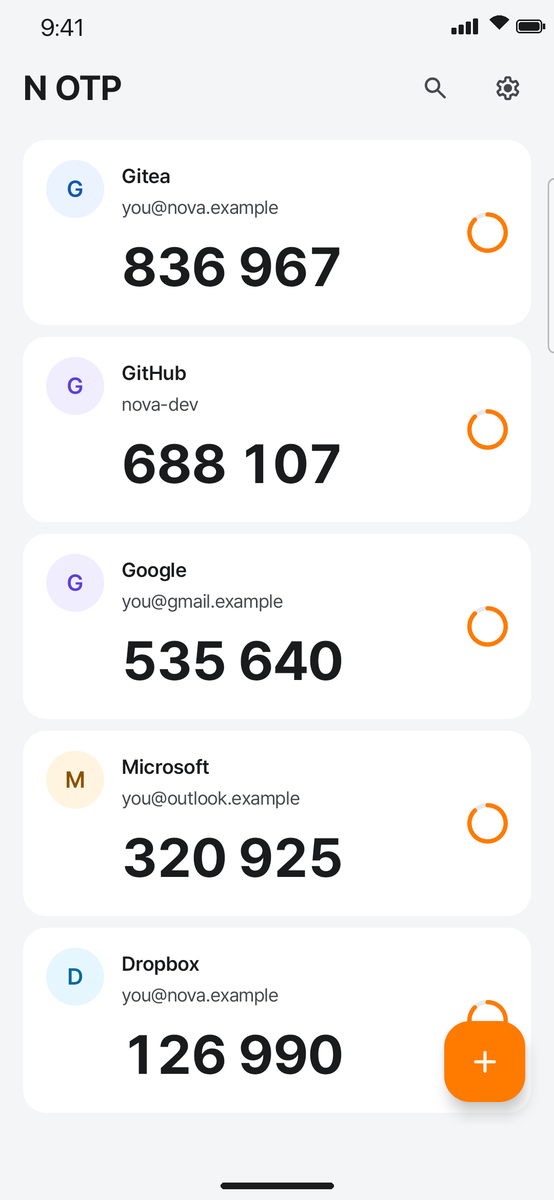
Codes the moment you open
Right in the list, nothing to expand. Time left as a ring.
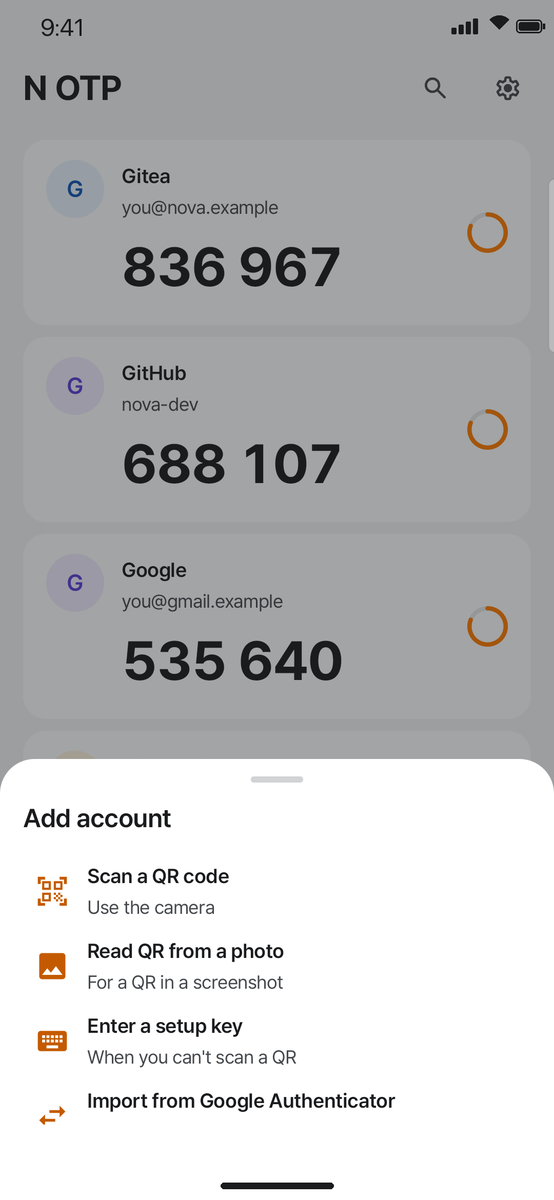
Four ways to add
Camera · QR in a screenshot · setup key · from Google Authenticator.
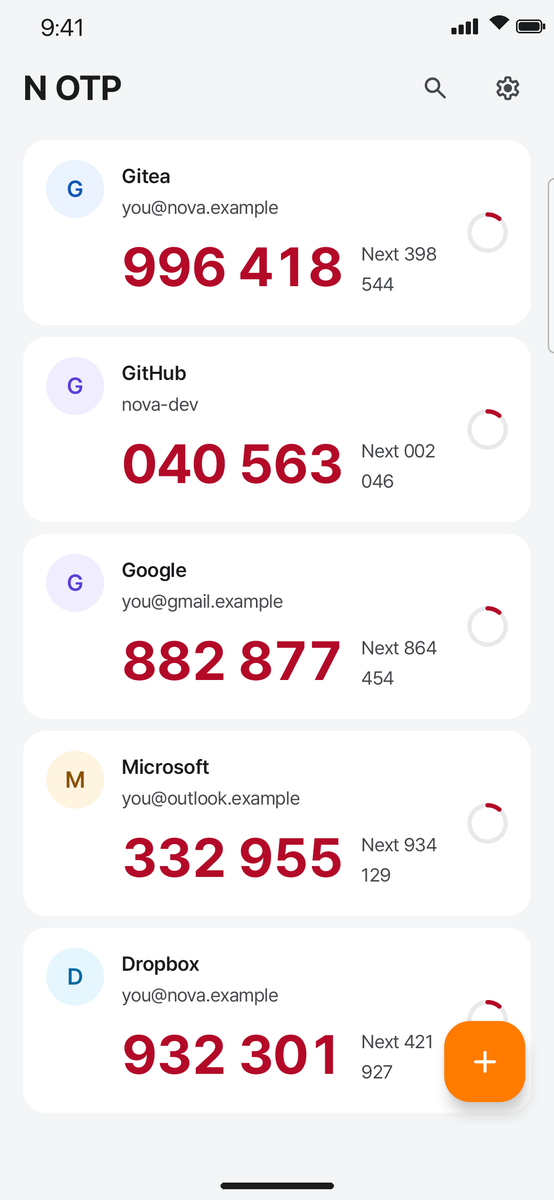
Red + next code
No more codes expiring while you type them.
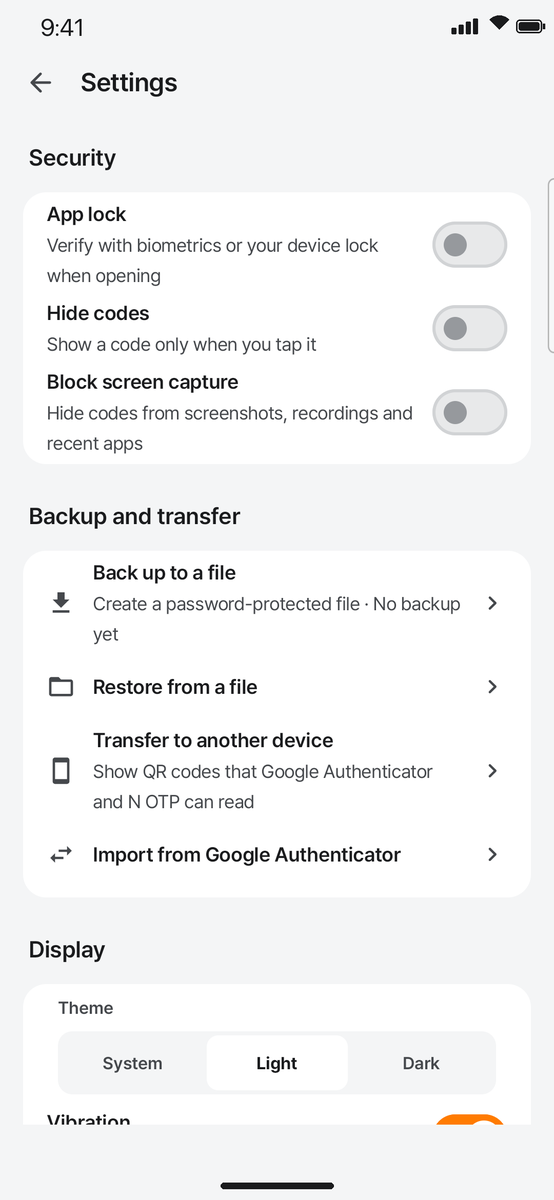
Lock and backup
Fingerprint · face lock, hidden codes, encrypted file backup.
Tap it.
It’s really live.
All three accounts are real TOTP and change every 30 seconds. Tap a card to copy, and turn on the app’s safeguards one by one below.
New phone,
same keys.
A deleted authenticator can’t be recovered. So transfer works both ways, and backups are files you own.
Two-way with Google Authenticator
Reads Google Authenticator’s “Transfer accounts” QR, and makes QR codes Google Authenticator can read. Ten per code, swipe through if there are more.
Password-protected backup
A file locked with your own password, saved wherever you choose. Restore it on a new device or after reinstalling.
Your keys never
leave the vault.
N OTP works fully without sign-up (signing in to the Nova family account is optional), and setup keys and codes never go to any server. No ads, no analytics.
The internet is used only for the optional Nova family account sign-in. Your vault never leaves by that path either.
Setup keys are encrypted with Android Keystore · iOS Keychain (this device only).
Not included in iCloud · Google backups or device transfer. Backups are only the files you make.
Screenshots are blocked and codes are hidden in the app switcher. Copied codes are marked sensitive.
The camera is used only to read QR codes, and only the one photo you pick. Details in the privacy policy.
Your first code in a minute.
In the service: Settings → Security → two-step verification (authenticator app). A QR code appears.
Tap + in N OTP and point at the QR. For a screenshot, use “Read QR from a photo”.
Type the code into the service and you’re done. Keep the service’s recovery codes somewhere safe.
💡 Before you switch phones or delete the app, always use Settings → Back up to a file. Write the backup password down — if you forget it, no one can open the file.
FAQ
Is it free?
Yes — free, no ads, and no sign-up.
The service says my code is wrong.
TOTP is computed from the time. Check that your phone’s date and time are set automatically. If the code is about to change, use the next code shown beside the red one.
I’ve been using Google Authenticator.
In Google Authenticator, open “Transfer accounts → Export” to show a QR. In N OTP, tap + → “Import from Google Authenticator” and scan it — everything moves at once. It works the other way too.
What if I lose my phone?
N OTP keeps no setup keys on a server, so without a backup file your accounts can’t be restored. Back up to a file ahead of time, and keep each service’s recovery codes.
Does it work on iPad?
Yes. iPhone · iPad · Android all work the same way, and on wide screens the cards are laid out in a grid.
I have another question.
Email us at nova780101@gmail.com. The detailed user guide is in Korean.